
SolSEO as a Yoast alternative for WordPress sites
The short answer
Yoast grades a page while you write it. The free SolSEO plugin does the same job: titles, descriptions, sitemaps, schema, redirects, and a score out of 100 that updates as you type. Pair the site with a SolSEO account and you also see what happened after you pressed publish: where the page ranks each day, and what a crawl of the whole site found.
Run one SEO plugin, not two. Two plugins write two title tags and two descriptions into the same page, and Google picks which one to use. When SolSEO finds another SEO plugin active, it shows one notice on the Dashboard, the Plugins screen and its own screens, and the notice leads to the import screen.
What the free plugin does in the editor
- A score out of 100 from around thirty checks: how the page is aimed at its keyword, titles and links, how the writing reads, and what a shopping result needs. Each check says what to change.
- Titles and descriptions per page, or a template per post type, with a pixel gauge that shows when a title is about to be cut off in a result.
- Sitemaps, canonicals, noindex, breadcrumbs and social tags, plus redirects with a log of dead links that becomes a redirect in one click.
- One offer per variation on a variable WooCommerce product, each with its own price, SKU and stock state, grouped in an AggregateOffer.
- Search Console figures for the page you are editing, once you connect your own Google account on a read only permission.
Moving from Yoast
The importer reads Yoast's fields on posts, pages and categories: titles, descriptions, focus keyphrases, canonicals, social titles and descriptions, and noindex and nofollow. It shows you a preview first, copies rather than moves, and leaves Yoast's own data where it was.
After a run it checks that every page which held a title or description in Yoast now holds one in SolSEO. Only a run that passes offers to switch Yoast off, and switching off deletes nothing.
What happens after you publish
An editor plugin sees the page in front of you. It cannot see where that page ranks, or what the rest of the site does to it. The SolSEO hub does both.
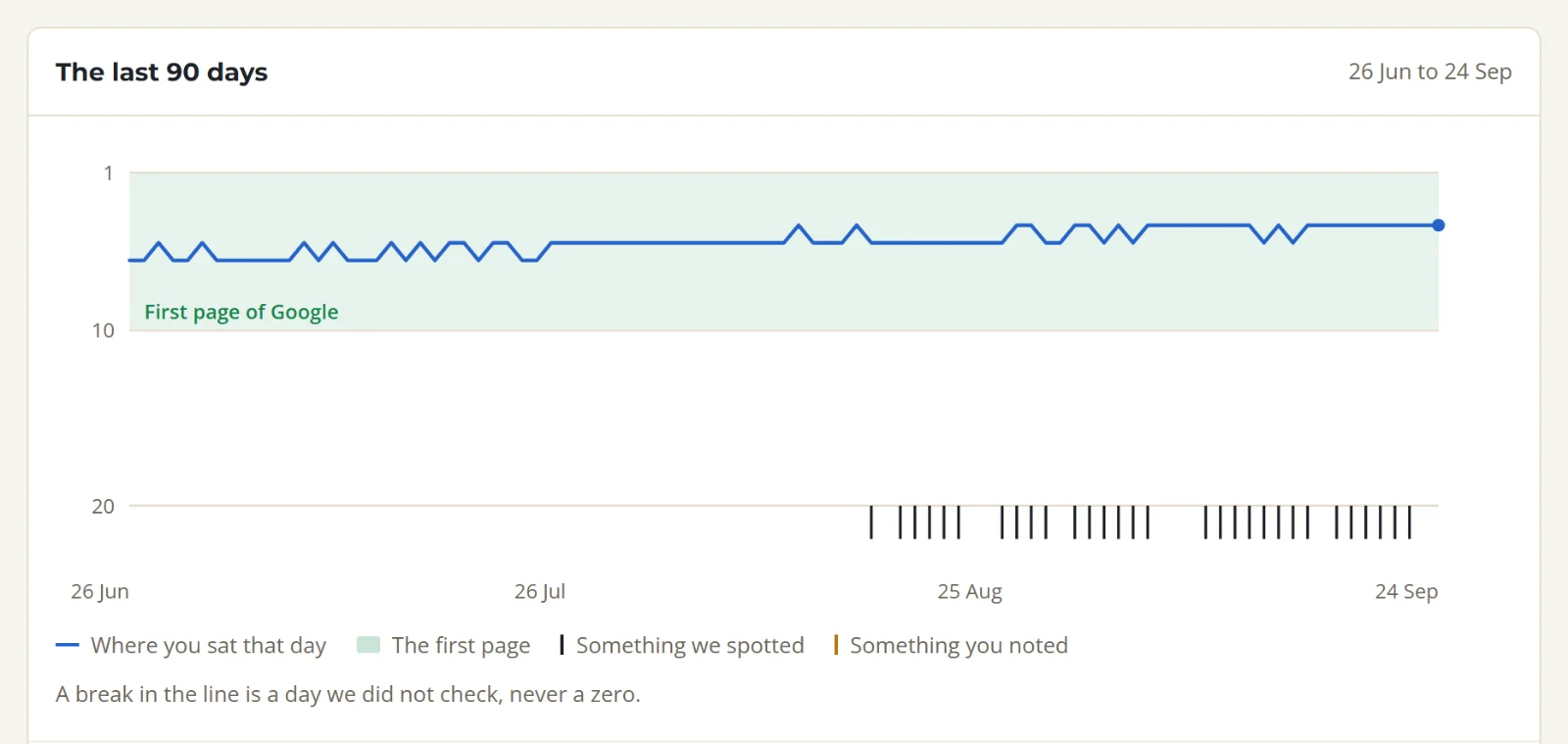
- Positions to 20, checked every day on a paid plan and weekly on the free plan. Every position is kept, so the chart never restarts.
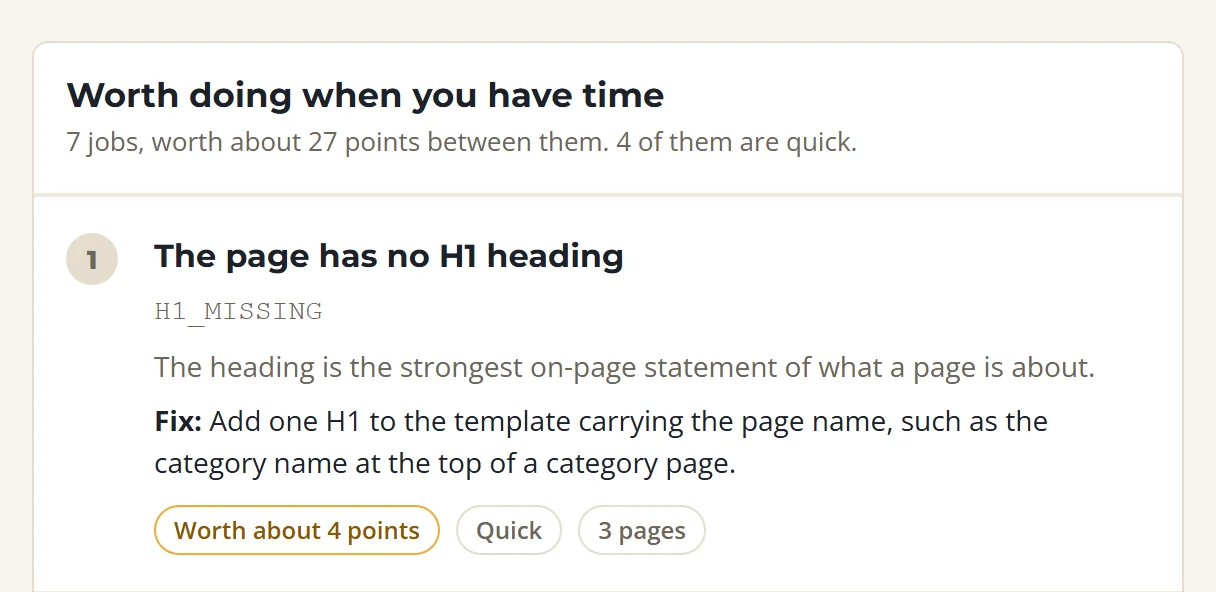
- A crawl of the whole site once a month and on demand, graded out of 100 across technical, content, speed and WooCommerce from 41 checks. It finds what the editor cannot: a canonical pointing at a redirect, a link to a page that does not serve, a page slow to answer, a theme template that prints no H1.
- The same thresholds at both ends. Title length, description length and thin content are defined once and read by the plugin and the crawler, so a page does not pass in wp-admin and fail in the audit.
Where the two differ
| SolSEO | Yoast | |
|---|---|---|
| Grades the page as you write | yes, out of 100 | yes |
| Titles, descriptions, sitemaps, schema | in the free plugin | yes |
| Where the page ranks, every day | on a paid hub plan | check what Yoast offers today |
| A crawl of the whole site from outside | monthly and on demand | no |
| WooCommerce checks in the site audit | six | no |
| Years in the wordpress.org directory | none yet: our listing is in review | more than ten |
Yoast has more than a decade of themes and page builders tested against it, and we do not. If your site depends on a builder or theme feature that reads Yoast's fields, try SolSEO on a staging copy first. Until our directory listing appears, ask us and we send the zip the same day.
What it costs
The free plugin costs nothing and needs no account. The hub's free plan tracks ten keywords on one site once a week and crawls 250 pages, with no card. Starter is A$24.99 a month, A$19.99 for the first month, for 125 keywords checked daily on one site.
Tracked positions in the post editor, and the site health list in wp-admin, need a paid hub plan and the SolSEO Pro add-on. Pro is A$149 a year for one site, or A$74.50 on a paid hub plan.