
SEO audit tools compared: crawlers, plugins and hosted checks
Three kinds of audit
Desktop crawlers. Screaming Frog and tools like it. You run one on your own computer, it crawls as deep as you let it, and it hands you a spreadsheet of every page, header and link it found. The output is complete and raw. Working out which fix is worth the most is your job, and comparing this month with last means keeping the files and comparing them yourself.
Editor plugins. Yoast, Rank Math, All in One SEO. They grade the page open in the editor, usually against a focus keyphrase, while you write it. That is the right moment to catch a missing description. They work one page at a time, and they grade what WordPress holds rather than what the server sends a visitor.
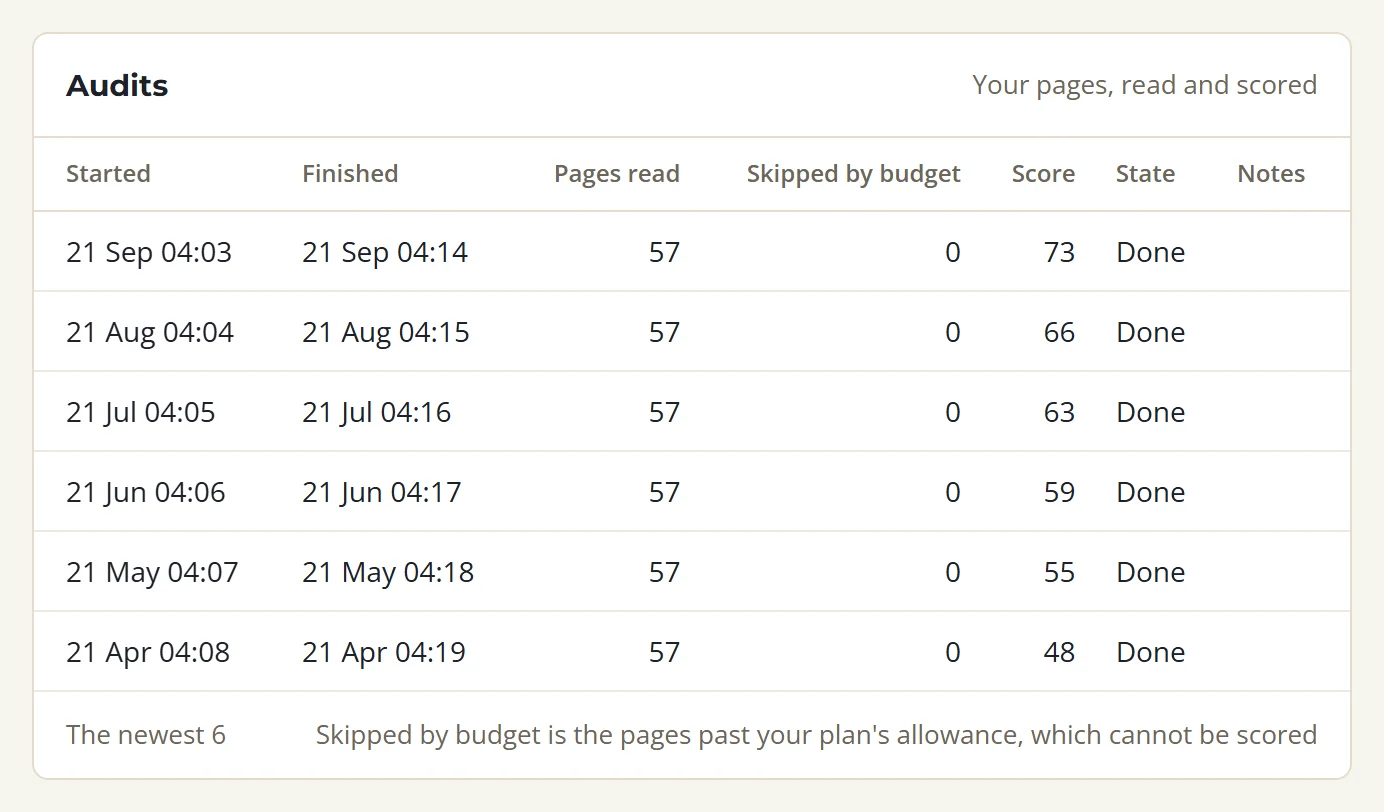
Hosted audits. They crawl the site from outside on a schedule, keep every result, and compare each check with the one before. SolSEO is this kind. It checks each site once a month, and on a paid plan you can run a check between those.
What each kind can see
| Desktop crawler | Editor plugin | SolSEO | |
|---|---|---|---|
| Grades the page while you write it | no | yes | no |
| Crawls as many pages as you like, whenever you like | yes | not a crawler | no, 250 to 50,000 pages a site by plan |
| Finds a canonical pointing at a redirect | yes | varies by product | yes |
| Finds a page nothing links to | yes | varies by product | yes |
| Prices each job in points off a score out of 100 | no | no | yes |
| Keeps every past result | if you keep the files | no | yes |
| Runs with your computer switched off | no | no | yes |
| Fixes a finding from wp-admin | no | you edit the page yourself | yes, with the plugin paired |
A desktop crawler still finds more in one sitting. It has no page budget and runs the moment you ask. If you need every header on 200,000 addresses this afternoon, run one.
What a hosted audit adds
History. Every check keeps its score, its page count and its findings for as long as the site is on the account. Each finding records the check it was first seen in and the check it was resolved in, so "did we fix that" has an answer nobody has to remember. The page by page list is kept for the last twelve checks, which is a year of monthly crawls.
A score that sorts the list. The score is out of 100, built from 41 checks in four categories: technical, content, speed and WooCommerce. Each problem costs its weight, times its severity, times the square root of the pages it affects, and no category can cost more than 25 points. A shop with 1,800 photos and no alt text loses 25 points in content and no more, so a broken canonical still shows up in technical. 80 and above is good, 70 to 79 is fair, and below 70 needs work.
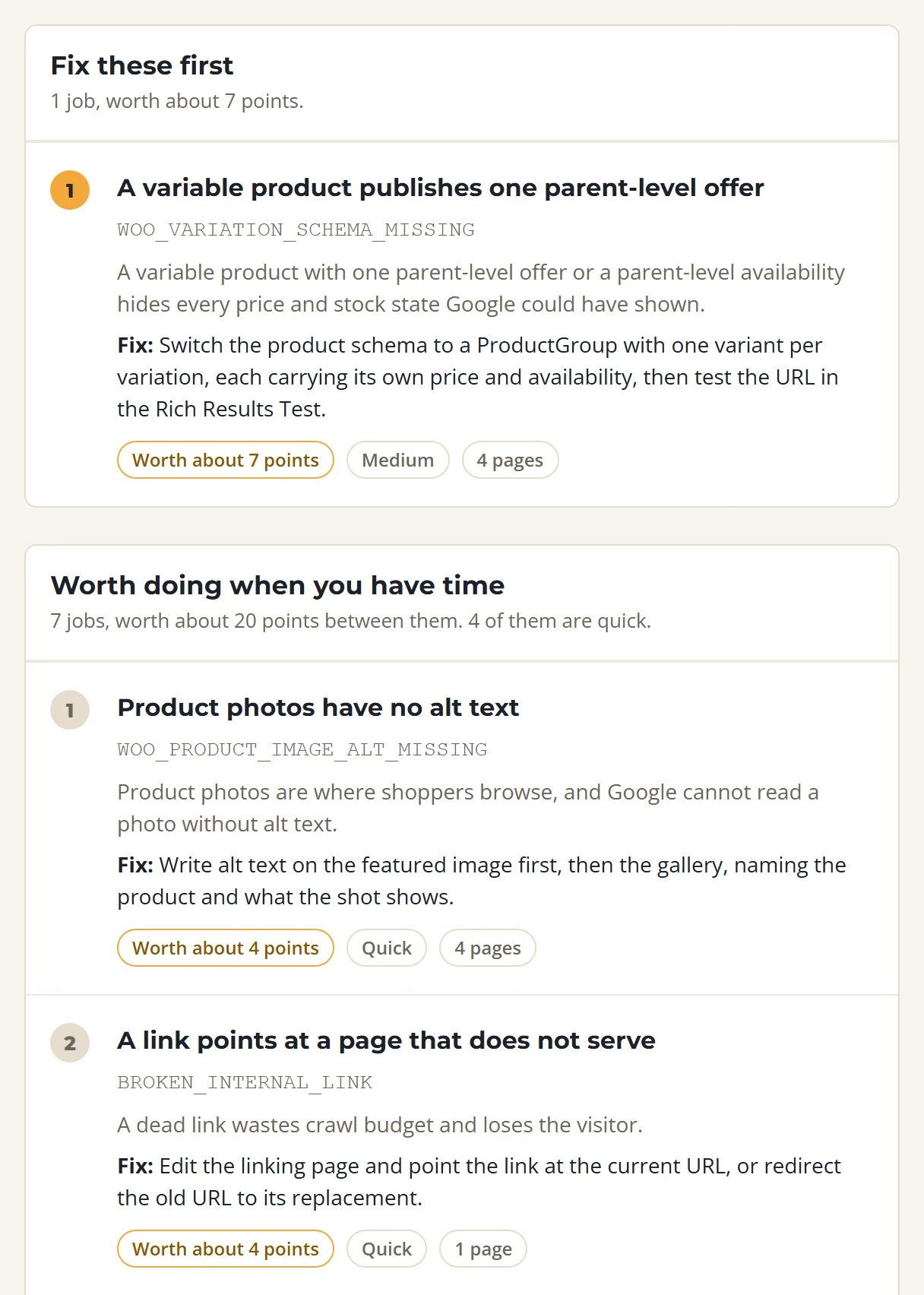
Fixes. Pair a WordPress site with the SolSEO plugin and several findings can be fixed from wp-admin, on the real page. The plugin reports the change, the score counts it straight away, and the next check confirms it.
What we learned auditing ourselves
On 21 September 2026 our own site, solseo.com.au, scored 52 out of 100 with fifteen kinds of problem open. We opened every address those findings pointed at, and about 31 of the 48 missing points were the checker misreading correct pages.
- Five findings were HTML rules run on files that are not HTML, such as
/llms.txtand/openapi.json. The checker was asking a JSON file for its heading. - One header logo, with a correct empty alt attribute beside a text wordmark, was reported on 37 of our 43 pages by a rule whose own advice said to leave alt empty on decoration.
- Eleven findings were on sign-in and sign-up pages that already asked Google not to list them, marked down for a missing description Google would never show.
- Five broken links were Cloudflare's email protection rewriting a
mailto:link into an address that the crawler then fetched and got a 404. - The Search Console check said the site was not connected, on a site connected the day before.
We corrected the rules in the product rather than on our site, so every customer's audit changed with them. A checker that fires on correct markup teaches you to ignore every other check it makes.
What it costs
The free plan crawls 250 pages on one site once a month, with no card. Starter crawls 2,500 pages a site for A$24.99 a month, Growth 10,000 for A$59.99, Agency 25,000 for A$139.99 and Studio 50,000 for A$199. Paid plans can also run checks between the monthly ones: 3 a week on Starter, up to 30 a week on Studio.